

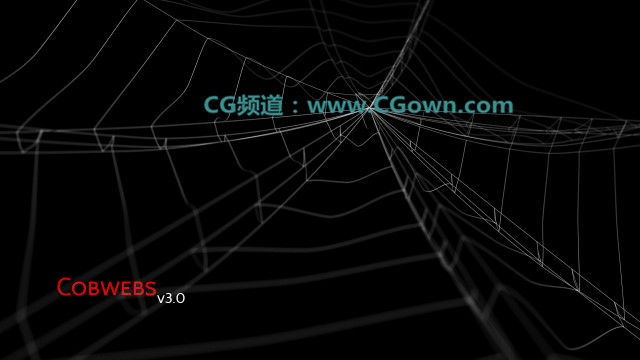
John Martini的蜘蛛丝网状建模插件-Cobwebs(*.ms脚本文件)用法非常简单,快速有效.前提是只能运行在3ds max2011或更新版本中
使用说明:
Maxscript > 运行 Maxscript > 蛛丝插件.ms
选择你想要蛛丝附着的物体.
设置好参数点击“创建蛛丝”按钮生成蛛丝.
注意:如果你的脚本出现 pt = subdivideSegment web idx 1 1的错误提示!请安装Autodesk 3ds Max 2012 Service Pack 2更新补丁,再试!
Instructions:
Maxscript > Run Maxscript > Cobwebs.ms
Select your geometry objects.
Choose your desired settings for the cobwebs and hit create.
Cobwebs 1.0Features:
● Compatible with geometries
● Custom Drape min and max settings
● Length Solver for calculating drape amount
Cobwebs 2.0Features:
● Speed improvements
● Cutoff limits both min and max
● Sub iterations on main strands
Cobwebs 3.0Features:
● Speed Improvements
● Include ends option
● Seeding option
● Main/Sub iterations
● Gravity direction & strength & range randomization
● Main strand steps
● Radial Webbing
● Force Radial sub strands
● Auto Origin for radial webs
● Pick object for origin of web
● Pivot only option
Cobwebs 4.0Features:
● Speed/Memory Improvements
● Updated UI
● Gravity Strength controls for each spline set
● Radial web “Center” options
● Location options for main strands
Cobwebs 5.0Features:
● Knot types
● Format Types for Main and Sub strands
● Better sorting for Radial web
● Addition to format is Spiral
● Order format with option of loop
● Sub strand Amount control
● Gap control for sub strands
● Knot spacing control for both main and sub strands
– Further improvements and updates will be coming soon.
– Please be sure to leave feedback on improvements you’d like to see added.
Software
3ds Max 2011
3ds Max 2012
3ds Max 2013
【插件下载】赞助米松:https://me.alipay.com/ax85
本站文章未经许可,禁止转载!
如果文章内容介绍中无特别注明,本网站压缩包解压需要密码统一是:www.cgown.com
本站资源由互联网搜集整理而成,版权均归原作者所有,仅供观摩学习,不保证资源的可用及完整性,不提供安装使用及技术服务。
若无意中侵犯到您的版权利益,请来信联系我们,我们会在收到信息后会尽快给予处理!版权说明点此了解!















0 条评论